Track Table Tennis Scores Quickly
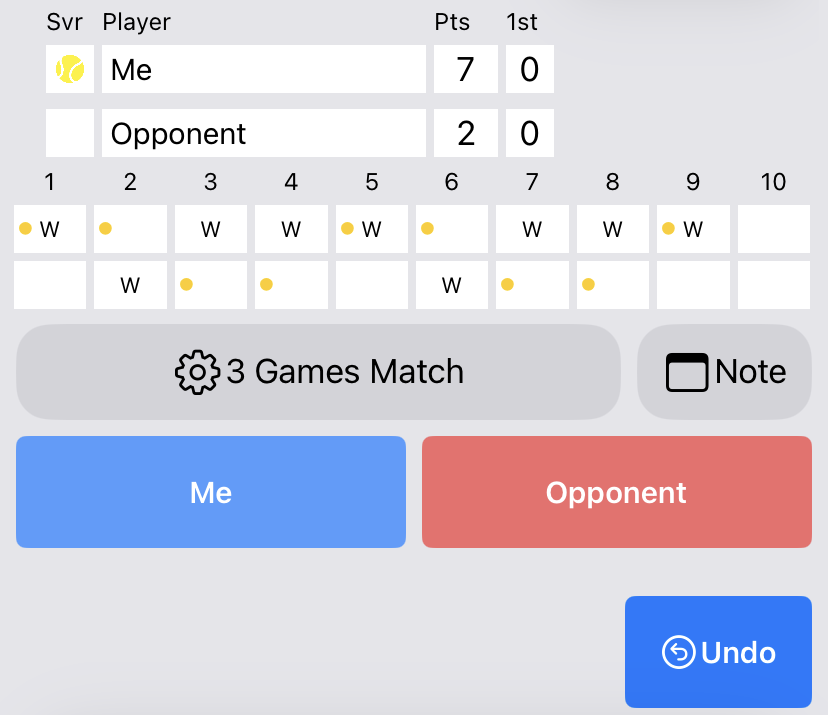
Tap the player or team who scored. This table tennis scorekeeper supports 11-point games with deuce, best-of-3, best-of-5 and best-of-7 matches, automatic service rotation, undo, singles and doubles.
Track every point. Understand your match.
Quick scoring with detailed analysis when you need it.
Track scores, point outcomes, shots, and rally length. Apple Watch is also supported.
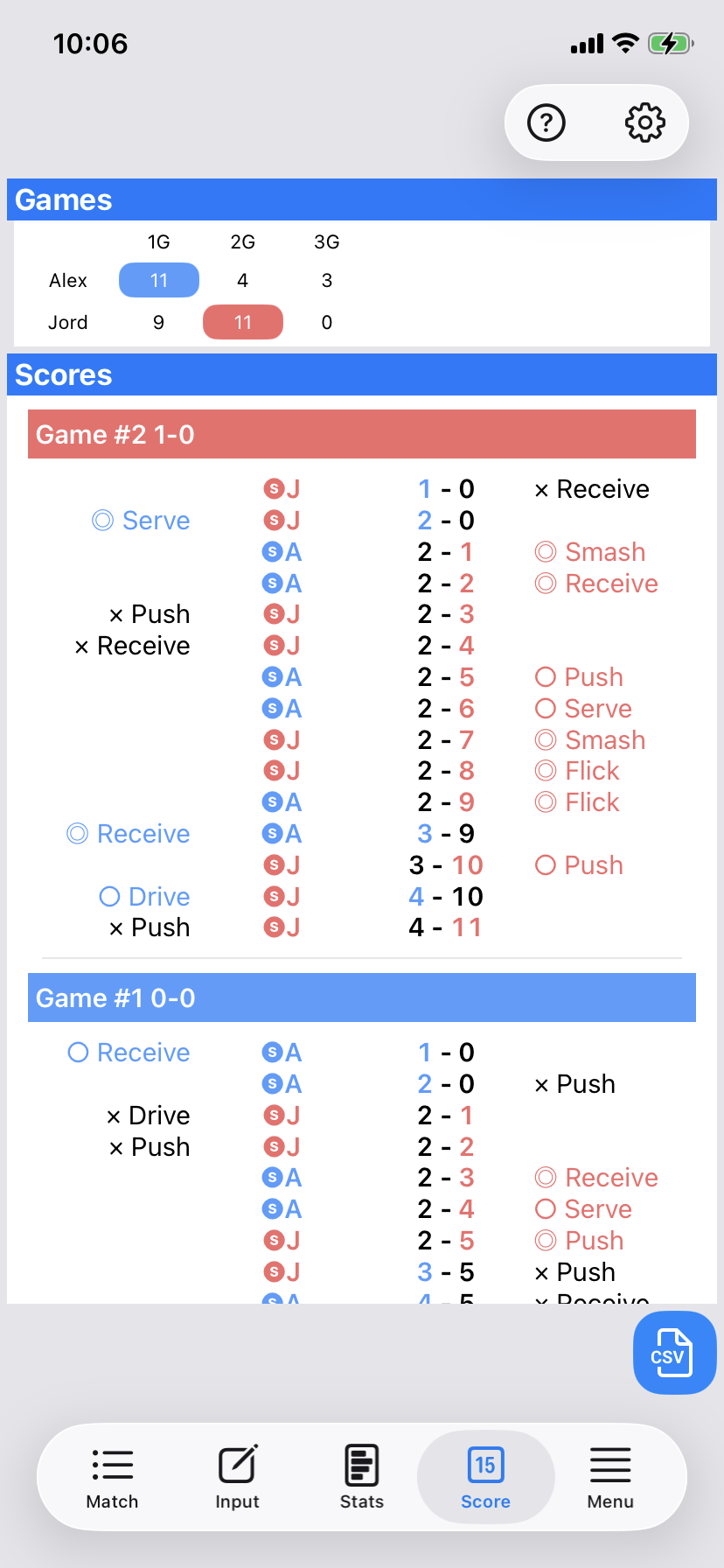
Tap the player or team who scored. This table tennis scorekeeper supports 11-point games with deuce, best-of-3, best-of-5 and best-of-7 matches, automatic service rotation, undo, singles and doubles.
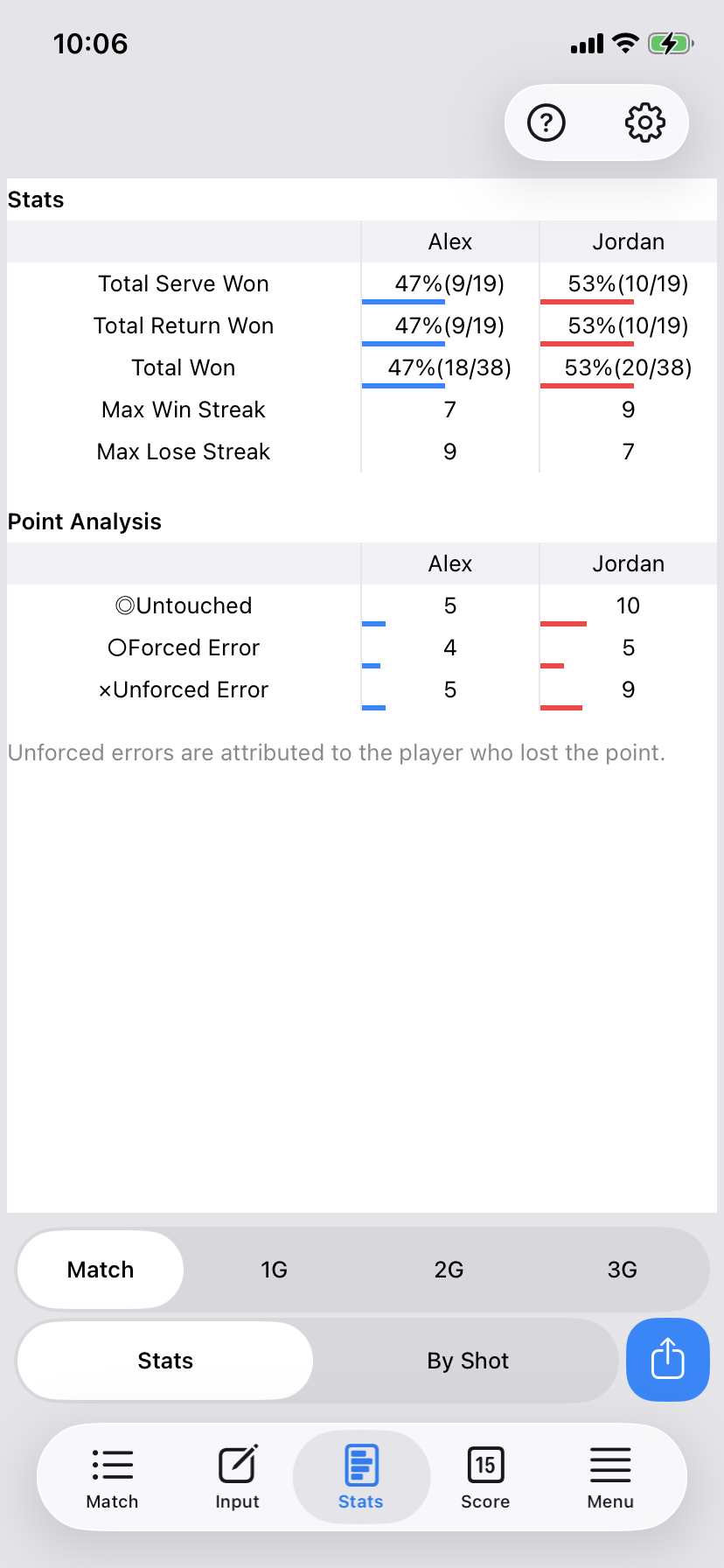
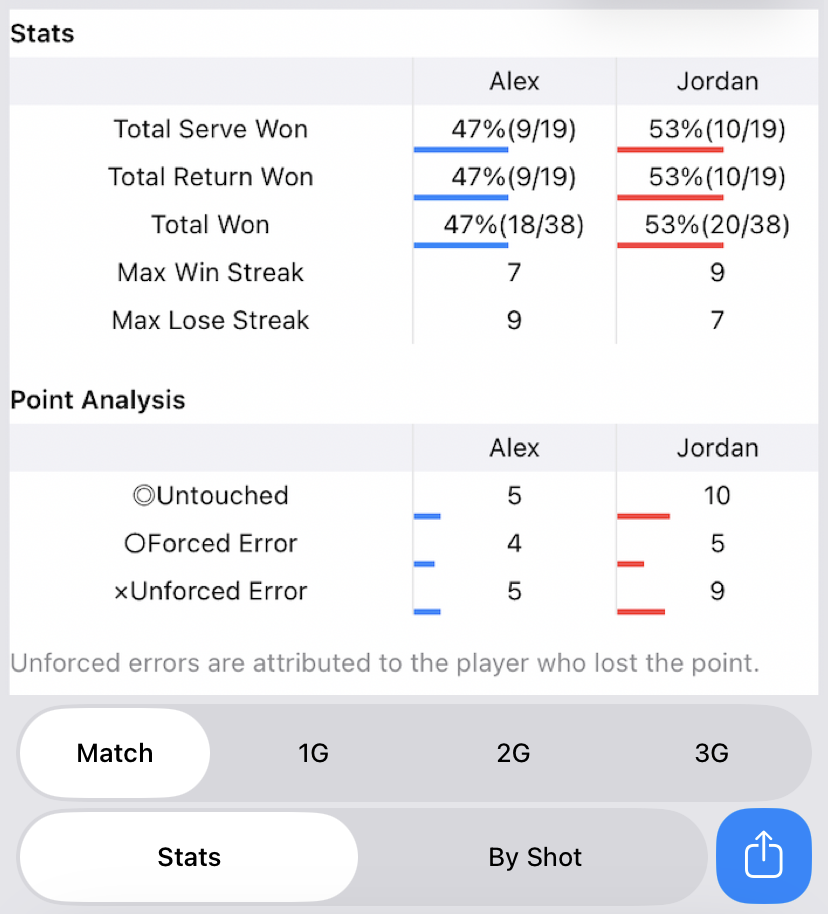
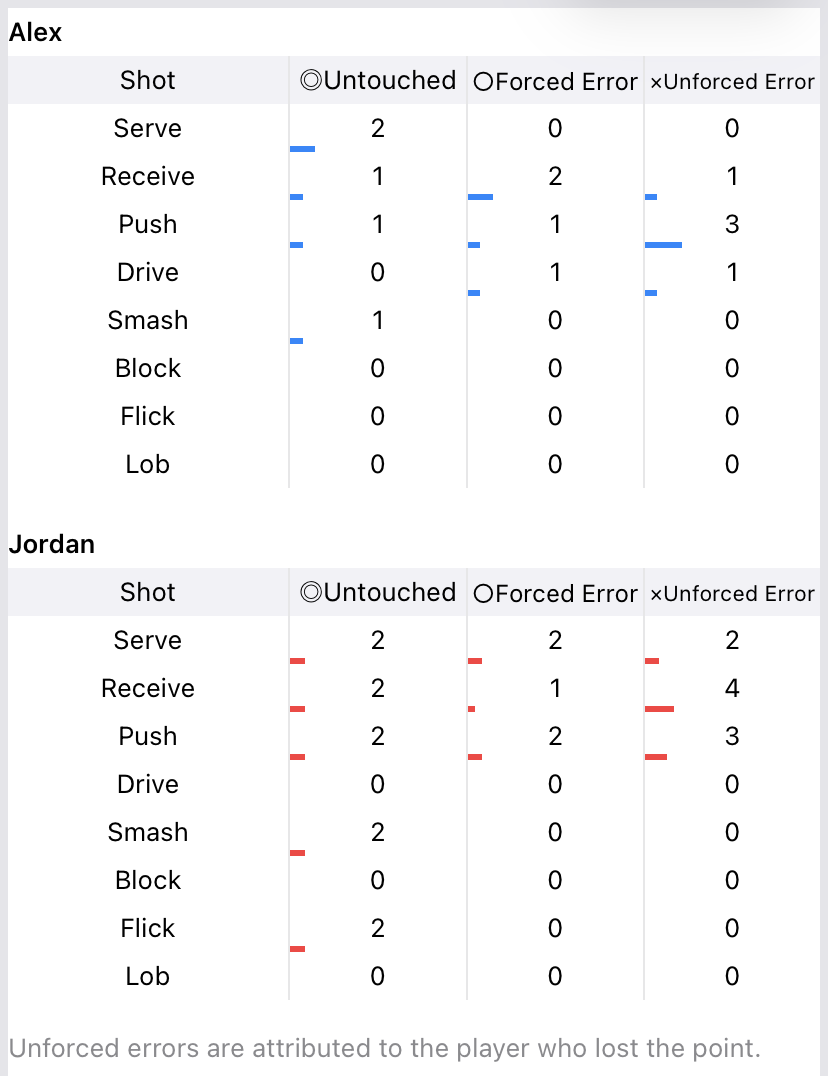
Automatically review Serve Points Won, Return Points Won, Total Points Won, Max Win Streak and Max Lose Streak. Detailed point entry also supports analysis by shot type and point result for the full match or each game.
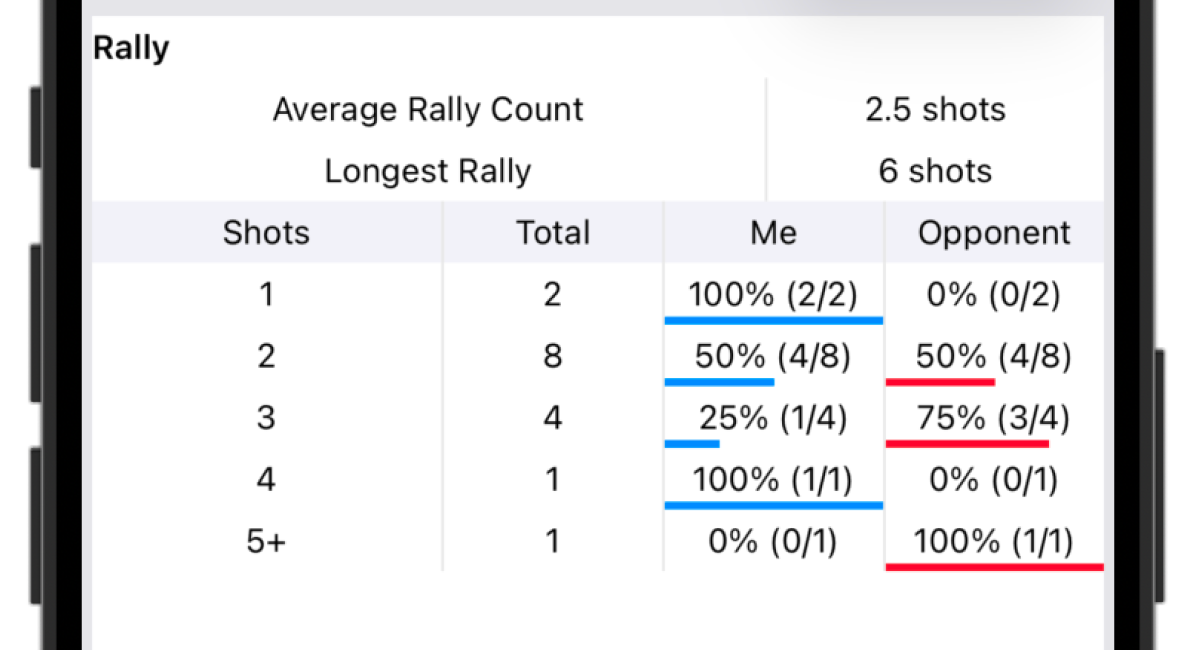
Track the number of shots in each point and analyze your win rate by rally length. DataTT also calculates your average and longest rallies, helping you see whether you perform better in short or long exchanges.
Track the score directly from your Apple Watch during a match. Simply tap “Me” or “Opp.” to record each point without taking out your iPhone.
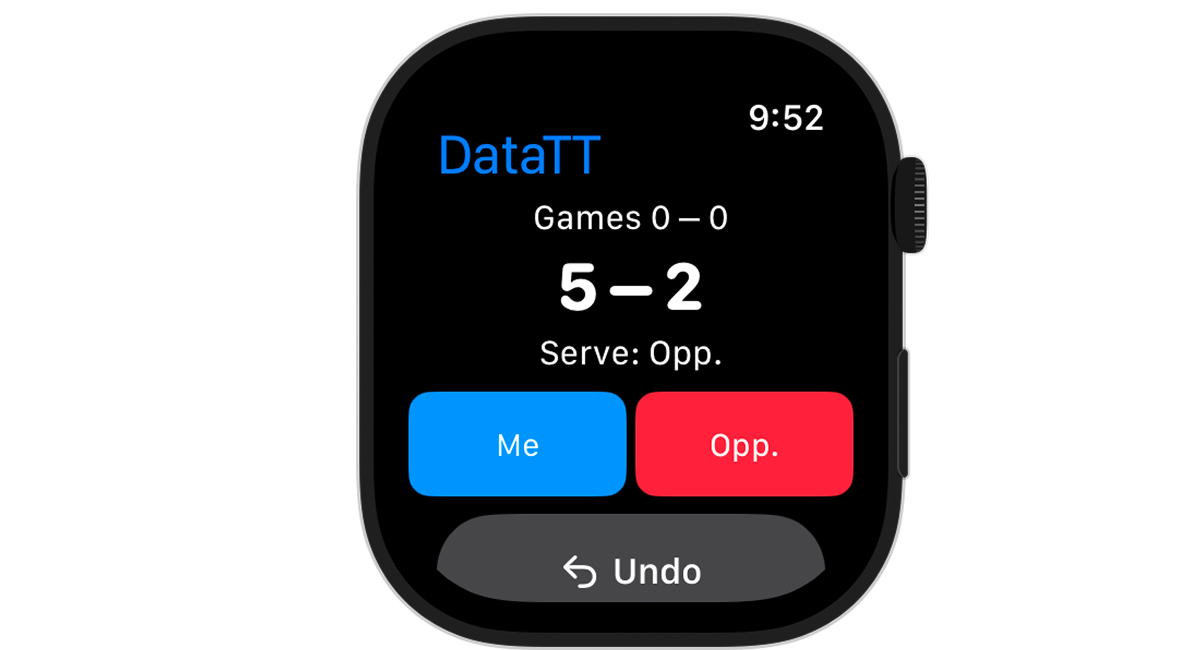
After the match, send the recorded match to your iPhone. The match is saved in DataTT, where you can review detailed stats and point history.
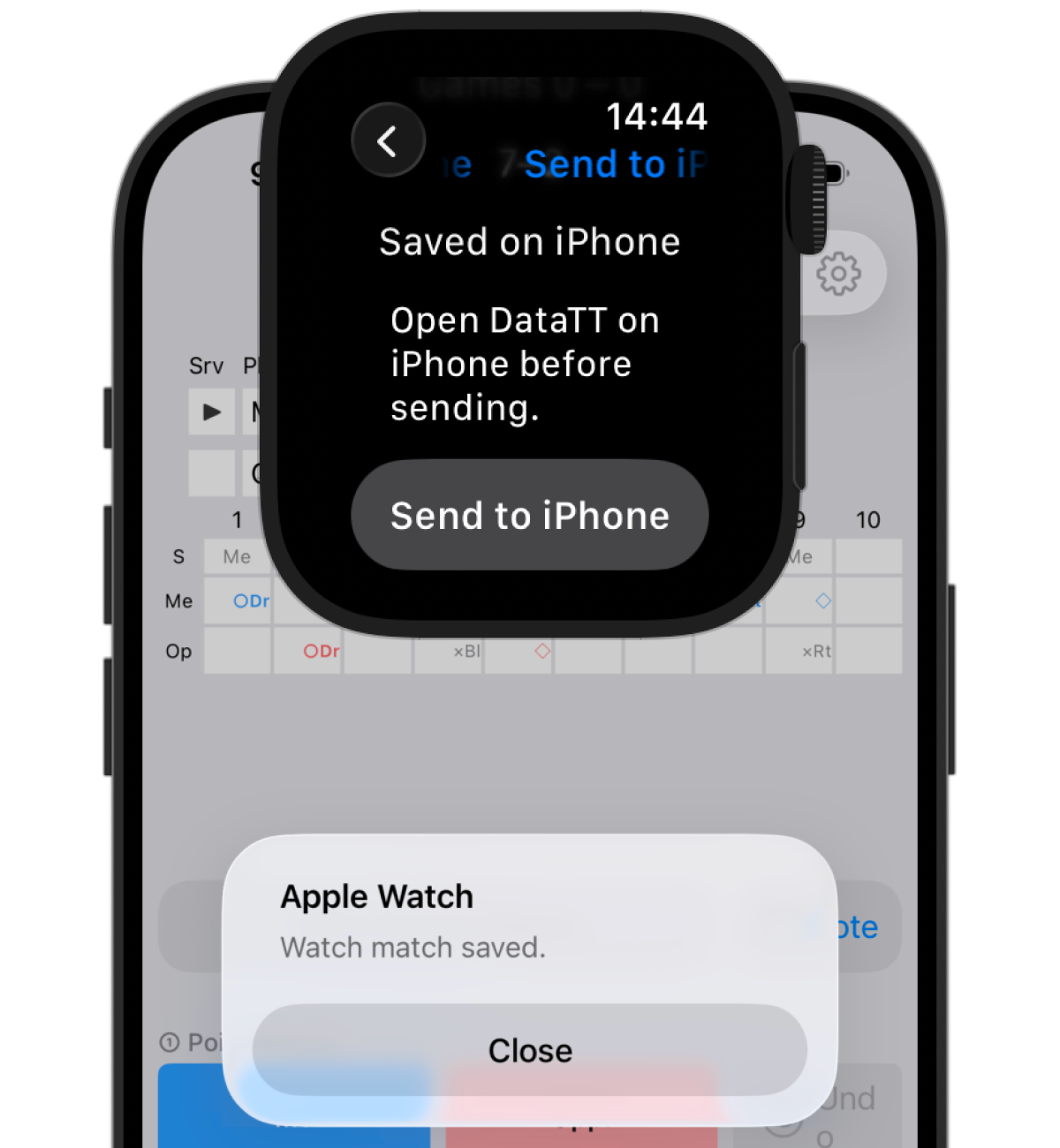
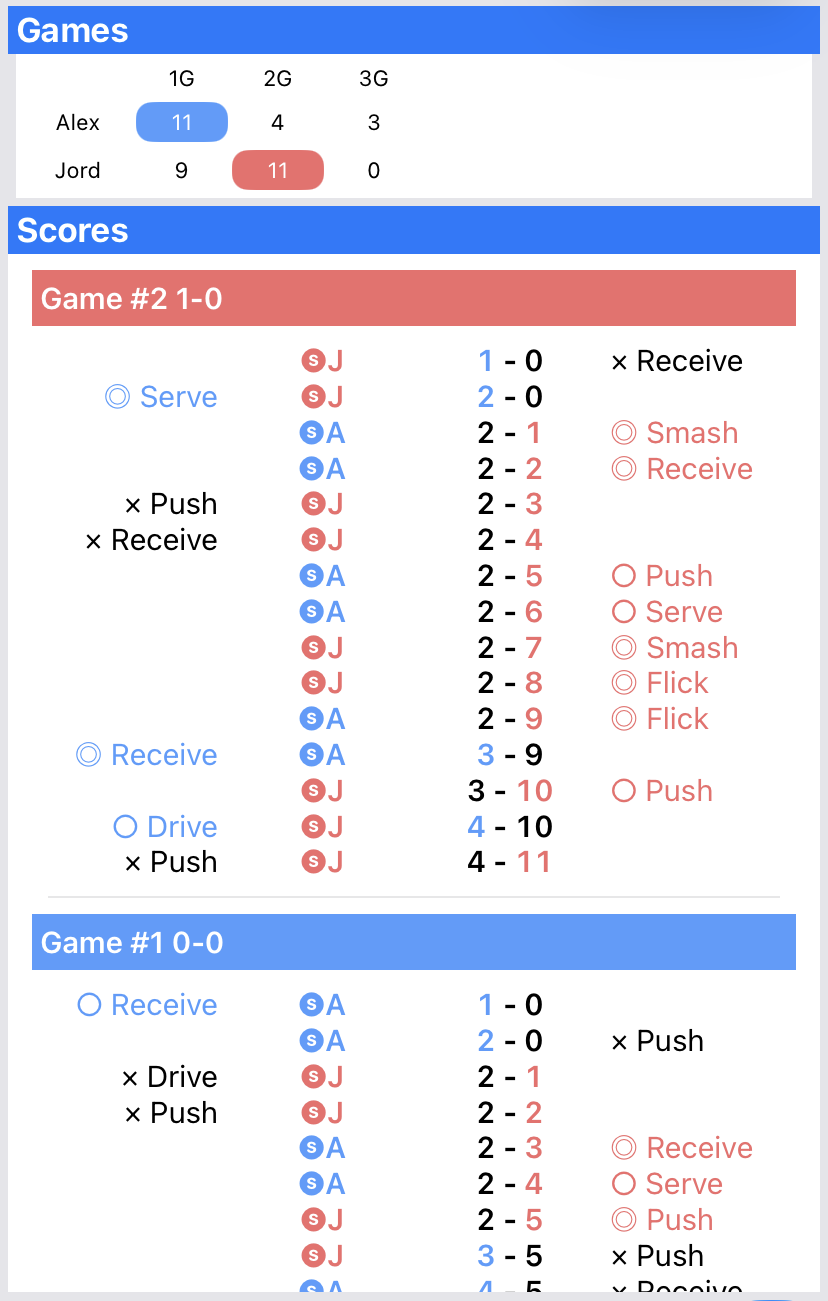
Review the game, server, point details and score for every point. The history shows when points were won or lost, giving you more context than the final score alone.
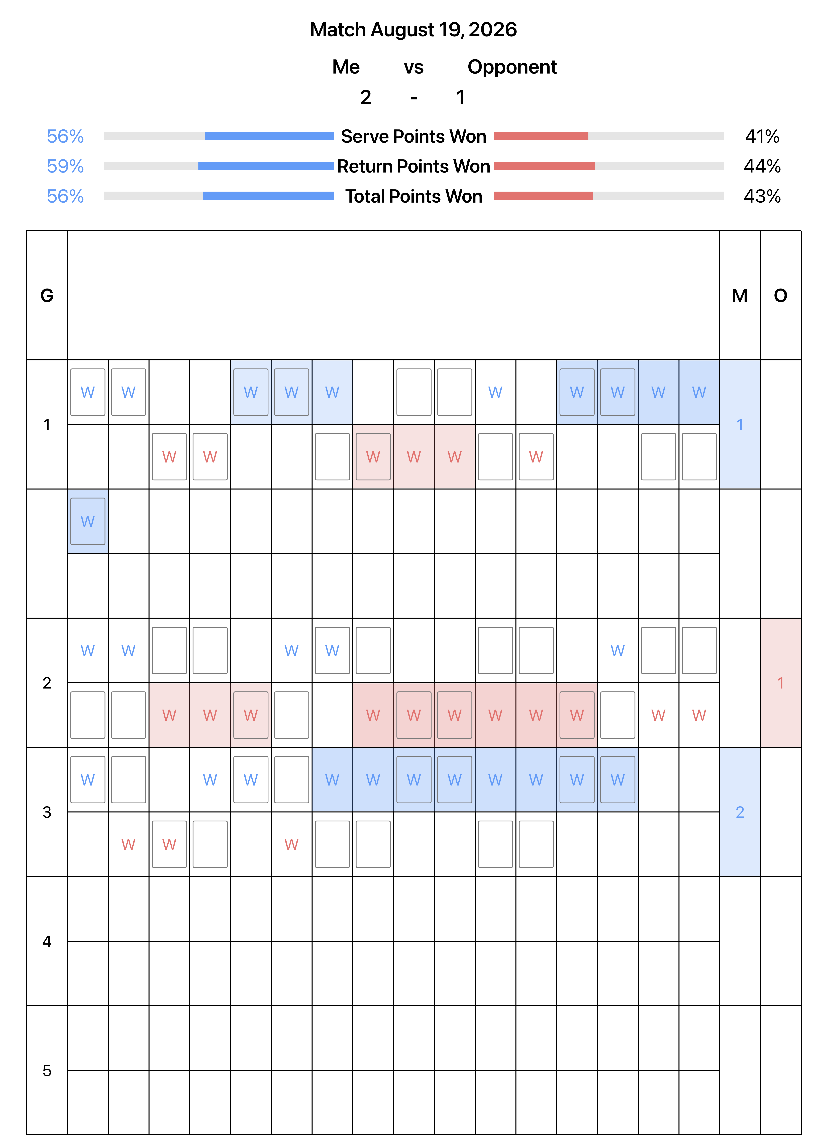
Export a match score sheet as an image and share it. Score sheet export is a Premium feature.
DataTT is a table tennis score tracker and match analysis app for easy scorekeeping and detailed stats, including serves, receives, shots, and rally length.
See trends in serves, returns and shots, plus whether you perform better in short or long rallies.
Record the match on Apple Watch without handling your phone, then review it together on iPhone.
Record results and play details, then put the insights to work in practice and the next match.
DataTT goes beyond score tracking. Record only the score when speed matters, or capture point details for statistics, shot analysis, point history and a useful post-match review.
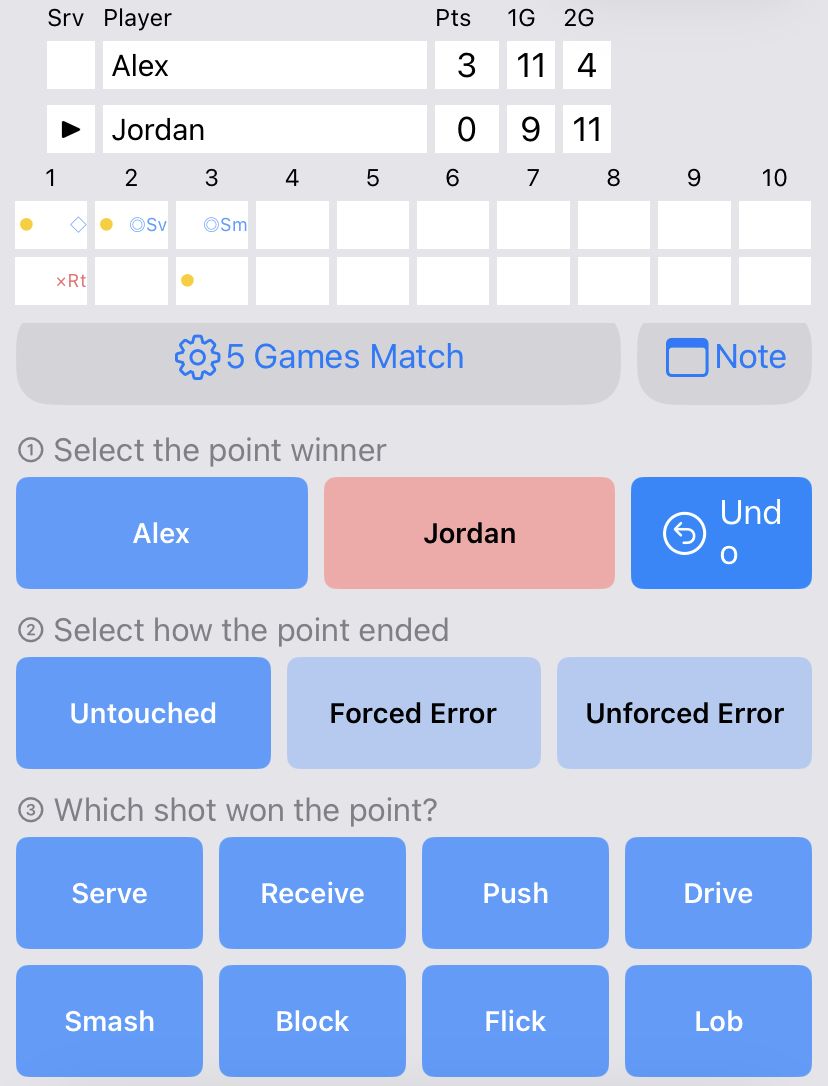
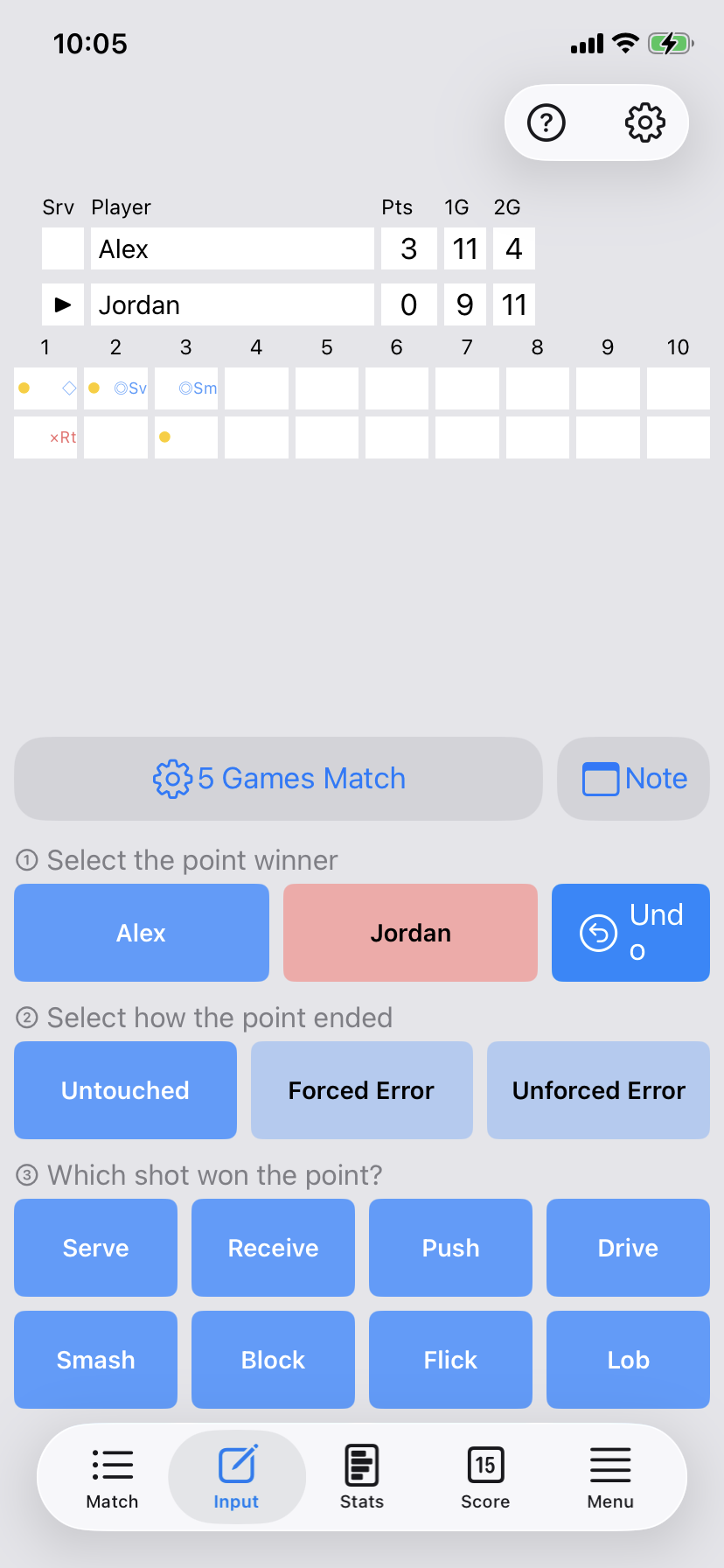
Detailed point entry records the point winner, point result and shot type. You can keep scoring simple, then add depth whenever a match needs closer analysis.
Track Serve, Receive, Push, Drive, Smash, Block, Flick and Lob. Combine each shot with No Touch, Forced Error or Unforced Error to review table tennis shot analysis by match or game.
The free version has limits on the number of records you can save. Premium is a monthly auto-renewing subscription.
Yes. Tap the player or team who scored to track the score without entering extra details. When you need deeper analysis, detailed point entry also records the point result and shot type.
Yes. DataTT can record and summarize eight shot types: Serve, Receive, Push, Drive, Smash, Block, Flick and Lob.
Yes. DataTT supports doubles score tracking and manages the service and receive order. Doubles statistics are a Premium feature.
You can review Serve Points Won, Return Points Won, Total Points Won, Max Win Streak and Max Lose Streak. With detailed point entry, you can also analyze points by shot type and point result.
Yes. The free version has limits on the number of records you can save. Premium removes record limits and includes CSV export, doubles statistics and score sheet export.
Get it on the App Store